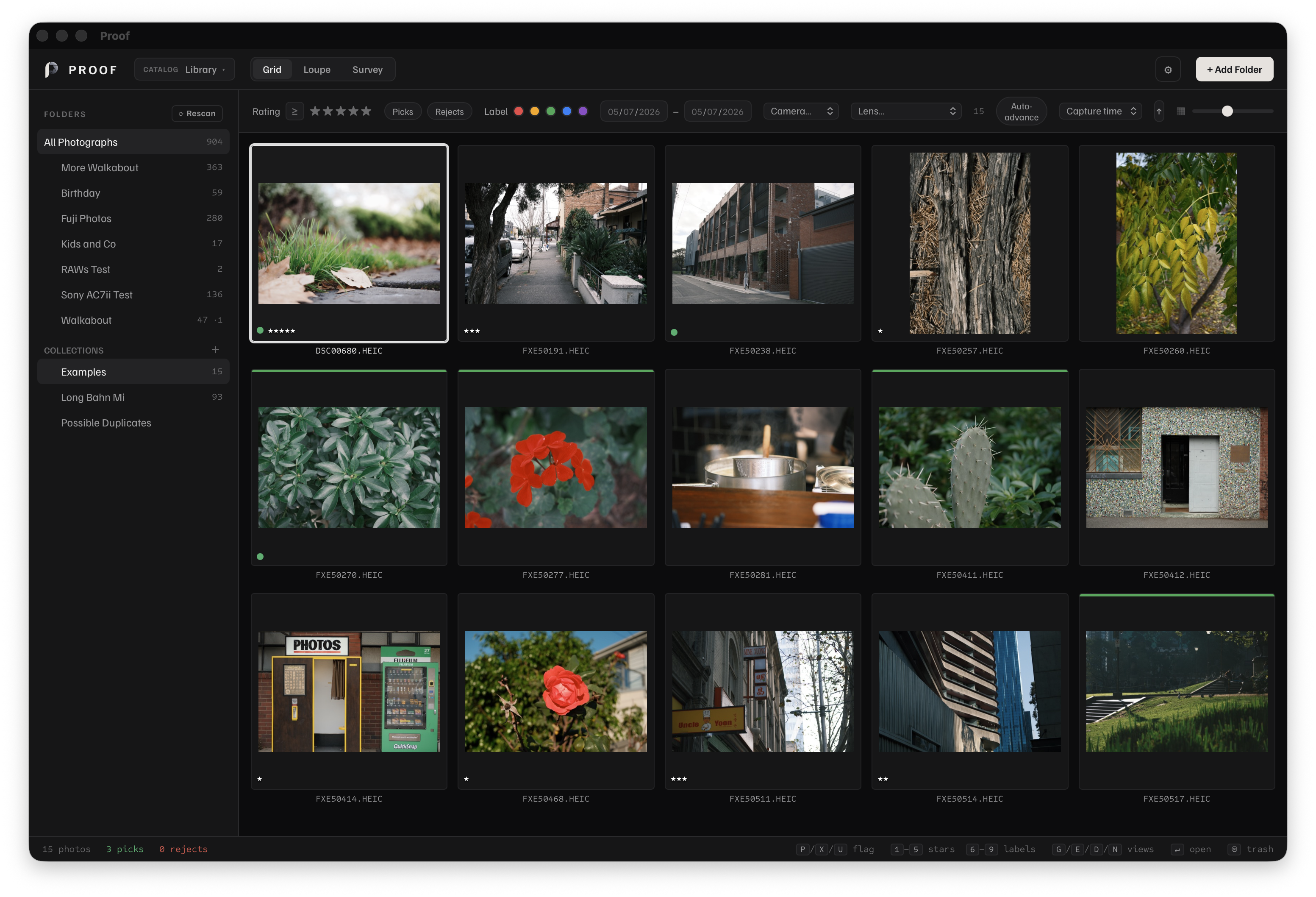
Cull large photo shoots without building a cloud library
Proof works with folders where they already live on your Mac. Add a folder, let Proof index thumbnails and metadata, then review the shoot with fast flags, star ratings, color labels, filters, and keyboard navigation.
The app is local-first by design. Your originals stay on disk, your catalog stays on your Mac, and exports are written as new files instead of changing the source images.
Built around the culling pass
Pick and reject quickly
Use P for picks, X for rejects, 0-5 for ratings, and 6-9 for color labels.
Compare similar frames
Use Survey to compare selected photos side by side when timing, focus, expression, or composition are close.
Inspect in Loupe
Open a single photo large, zoom in, pan around, and check detail before deciding what stays in the set.
Export finished copies
Export selected photos to JPEG, PNG, TIFF, or WebP while keeping the source files unchanged.
Where Proof fits
Start with your Fujifilm SOOC photographs, compare close frames in Survey Focus Mode, and keep RAW and camera-rendered companions together. Continue into non-destructive Mac Develop when a photograph needs adjustments, or export unchanged originals to your preferred editor. Develop remains in beta.
If you already organize shoots by folder, Proof keeps that workflow intact. If you are moving away from a heavy cloud-first library, Proof gives you a local catalog without moving your image archive into a new service.